Website Migration Without Losing Search Visibility: A Pre-Launch and Cutover Runbook
A redesign can hide every URL you already earned. Inventory, redirect map, staging rules, DNS cutover, rollback, and the 7/30-day checks that tell you whether search still sees the site.
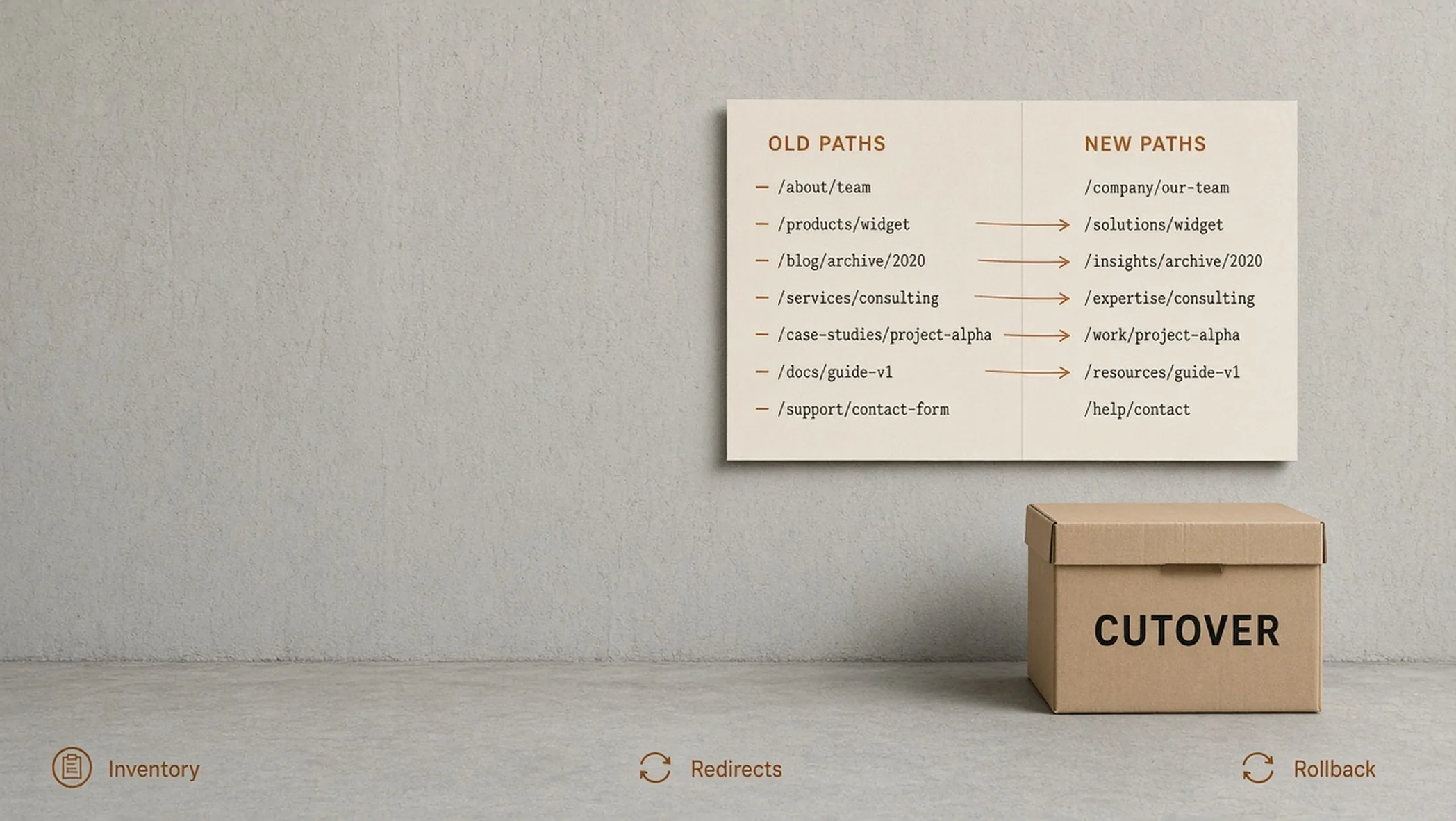
You can ship a better site and still disappear from search for a month. The usual cause is not “Google is slow.” It is a missing URL list, a redirect that points at a homepage, a staging site that leaked noindex, or a JavaScript build that sends crawlers an empty shell.
This runbook is the cutover. It assumes you already decided the new information architecture (IA) in how to plan a website that grows your business. After the switch, day-two operations live in the modern web maintenance blueprint. Indexation depth (canonicals, sitemaps, faceted URLs) is a technical SEO job. Do not copy that checklist into this page.
What counts as a migration
If the URL, the host, the domain, or the first HTML a crawler receives will change, you are migrating. Paint on the same paths is a release. A new stack on new paths is a migration.
| Change | Migration? | Why it bites |
|---|---|---|
| New visual design, same slugs | Usually no | Still test Core Web Vitals (CWV) and forms. Search paths did not move. |
| New CMS or static host, same slugs | Yes | Redirects may look fine while the HTML crawlers get is empty or noindexed. |
| Slug or folder changes | Yes | Old links, ads, and emails 404 unless you map them. |
| Apex, www, or new domain | Yes | Search Console properties, certificates, and canonicals all move. |
| HTTP to HTTPS only | Yes | One redirect chain, mixed content, and HSTS mistakes. |
Step 1. Inventory every URL that currently earns anything
You cannot redirect what you have not listed. Export the live path list before you touch DNS. Combine a crawl, a sitemap, and Google Search Console (GSC) pages that have impressions. Then add the URLs humans actually share: PDFs, old campaign landing pages, trailing-slash variants, and www versus apex.
- Money pages: home, services, contact, top articles, work. These get a named owner and a post-launch check.
- Indexable content: blog posts, hubs, resources. Map one-to-one wherever the job of the page still exists.
- Utility: legal, images, feeds. Redirect or 410 on purpose. Do not leave them as surprise 404s.
- Junk: parameter copies, old pagination, preview URLs. Do not 301 junk onto a money page. 410 or ignore.
Hypothetical example, labeled as such. A 40-URL brochure site is moving /about-us to /about and /blog/post-name/ (trailing slash) to /blog/post-name. The inventory is a spreadsheet with old path, new path, status (301, 410, keep), and owner. If that sheet is empty, you are guessing at cutover.
Step 2. Write the redirect map like a contract
One old URL, one new URL, one status code. No chains if you can avoid them. No “redirect everything leftover to home.” Homepage dumps tell search engines the old page had no equivalent, which is how you throw away the query the old URL ranked for. On Cloudflare, the map usually lives in a _redirects file next to the static assets.
| Old path | New path | Code | Notes |
|---|---|---|---|
| /about-us | /about | 301 | Same job, new slug |
| /blog/old-slug/ | /blog/old-slug | 301 | Slashless canonical |
| /services/web-design | /websites | 301 | Service renamed, same offer |
| /lp/summer-2022 | (none) | 410 | Campaign dead, do not send to home |
That table is hypothetical. The rule is not. 410 means gone on purpose. 301 means the job moved. 302 is for a temporary park, not a redesign you intend to keep. Test the map on staging with curl, not only in a browser that caches.
Step 3. Staging rules that do not poison production
Staging should be a full copy of the new site, including the redirect file, on a hostname search engines are not invited to index. The usual poison is the opposite: a staging copy that is indexable, or a production build that inherited noindex from staging.
- Lock staging with HTTP auth, network allowlists, or both. robots.txt Disallow is not enough on a public preview URL.
- Keep production meta robots and headers in the production build only. Do not bake noindex into the component that ships everywhere.
- Confirm the first HTML on staging contains the article text if you are on React. A client-only render will look fine to you and empty to a crawler. URL Inspection is how you check, not the logged-in browser.
- Run the redirect file against the inventory on staging. Fix chains and loops before DNS moves.
Observed: AdSense and other crawlers that do not run JavaScript will judge whatever is in the first HTML. We prerender visible copy into #root and verify with Search Console URL Inspection. If your new stack cannot show the words without a script, fix that before cutover, not after.
Step 4. DNS cutover, then prove the hostname
Domain Name System (DNS) is the moment the public hostname points at the new origin. Lower Time to Live (TTL) a day ahead if your registrar lets you. Then follow a sequence, not a vibe. On Cloudflare that sequence is zone, proxy, TLS, files, hostname, then redirects, which is the static website map.
- Certificates: HTTPS must work on the real hostname before you send traffic. A workers.dev padlock is not done.
- Apex and www: one canonical, the other redirects. Pick it before cutover. Do not leave both indexable.
- Mail and other non-HTTP: grey-cloud those records. Orange-clouding IMAP is how Outlook dies during a “website” launch.
- Proof: curl the homepage and one migrated article. You want the new HTML, the 301 on an old path, and no redirect chain.
Check the status line, not the browser. Caches lie. These two do the same job: confirm a single 301, then a 200, with no extra hop.
curl
# Old money URL should be one 301, then stop.
curl -sI https://example.com/about-us | head -n 12

# Follow once you have seen the 301 Location.
curl -sI -L https://example.com/about-us | grep -E 'HTTP/|location:'
JavaScript
const res = await fetch('https://example.com/about-us', {
  method: 'HEAD',
  redirect: 'manual',
});
console.log(res.status, res.headers.get('location'));
// 301 plus the new path. If this is 200 on the old slug, the map did not ship.
Swap the hostnames for yours. -I sends HEAD. Add -L only after you have counted the hops without it.
Step 5. Rollback is a named path, not a hope
If the new site 500s, or the redirect file loops, or forms die, you need a restore that a tired person can run. Write it down before you cut.
- Previous deployment: the last known-good Workers or Pages build, one command or one dashboard click.
- Previous redirects: the last _redirects (or equivalent) in git. If the map only lives in a spreadsheet, you cannot roll it back.
- DNS: only roll DNS if the new origin is the failure. If the new origin is fine and the map is wrong, fix the map. DNS flapping makes everything worse.
- Forms and analytics: a site that ranks but cannot collect a lead is not a successful cutover. Test one real submission.
7-day and 30-day validation (what you are allowed to claim)
You are looking for coverage and errors, not a victory screenshot. Rankings will move. That is not by itself a failed migration.
| Window | Check | Pass looks like |
|---|---|---|
| Hour 0 | curl + URL Inspection on 5 money pages | 200, canonical is the live URL, HTML contains the words |
| Hour 0 | Old money URL | Single 301 to the new equivalent, then 200 |
| Day 1 to 7 | GSC Coverage / Pages, 404 spikes, sitemap submit | New URLs appearing, old URLs declining without a 404 storm on money pages |
| Day 30 | Impressions on money pages vs the prior 28 days | Directionally stable. Not a promise of growth. A check that you did not delete the site. |
Use Search Console URL Inspection the way it is meant: live URL versus last crawl, rendered versus initial HTML. If those two disagree on a JavaScript site, you have a rendering bug, not a “wait it out” problem.
What this does not prove: a 30-day impression chart is not evidence that the redesign caused revenue. It is evidence that the URLs still exist in search. Pipeline belongs in a measurement plan, not in this runbook.
A cutover morning, in order
- Freeze content edits. Last-minute slug changes after the map is tested are how you 404 a page you just launched.
- Deploy production with the redirect file. Confirm on the preview hostname first if you have one that is not public.
- Attach or switch the custom domain. Confirm TLS.
- curl homepage, one article, one old slug, one known 404. Then URL Inspection on those same URLs.
- Submit the new sitemap. Request indexing only on the money pages, not the whole archive.
- Watch forms, not just HTML. One test inquiry.
- Leave the rollback note in the same channel as the launch. If nobody can find it, it does not exist.
If you are planning a rebuild and want the serving model to survive crawlers, start with website design and development or get in touch with the inventory in hand. The spreadsheet is the brief. A mood board is not.
Frequently asked questions
What is a website migration in this runbook?
A website migration is any cutover that changes URLs, hosting, the domain, or the HTML search engines receive. A visual refresh on the same paths is not a migration. A rebuild that moves /services/branding to /branding is. Treat domain moves, HTTP to HTTPS, CMS changes, and JavaScript rendering changes as migrations even when the design looks similar.
Will redirects save all of my rankings?
No. Redirects are how you hand a crawler the new address. They do not guarantee the same rankings, the same snippets, or the same traffic. They prevent a clean break. Plan for a noisy two to six weeks in Google Search Console (GSC) while the new URLs are recrawled. Do not promise a client that nothing will move.
Who owns this page versus a technical SEO migration checklist?
This article owns engineering cutover: inventory, redirect files, staging, Domain Name System (DNS), rollback, and the first visibility checks. Canonicals, sitemaps, and deeper indexation testing belong with technical SEO. Do not keep two competing runbooks that repeat every row.
Should I launch on a Friday?
No. Cut over when the people who can roll back are awake. Morning in your operating timezone, not a holiday, not the hour before a campaign. Redirect mistakes compound overnight.
What is a rollback in a static or edge setup?
Rollback means the previous build, the previous redirect file, and the previous DNS record can be restored without a heroic rebuild. On Cloudflare that is usually a prior Workers or Pages deployment plus the last _redirects file in git. If you cannot name the restore path before you cut, you are not ready.
Do I need Google Search Console before cutover?
Yes. Add the new property (and the new domain if that is changing) before you switch DNS. You cannot inspect a property you do not own. URL Inspection on a handful of money pages is part of go-live, not a cleanup task for next month.